

.jpeg "Finish your day with tomorrow already planned.")
Before you close Outlook, turn loose ends into tasks, choose tomorrow’s priorities, and give them time on your calendar.
For years, my work lived in flagged emails, sticky notes, a notebook, a couple of apps, and my head. The hardest part was the question underneath it all: What am I forgetting?
A short reset at the end of the day changed how I organized my work. Instead of leaving tomorrow buried in today’s email, I gave it a plan. Here’s the habit.
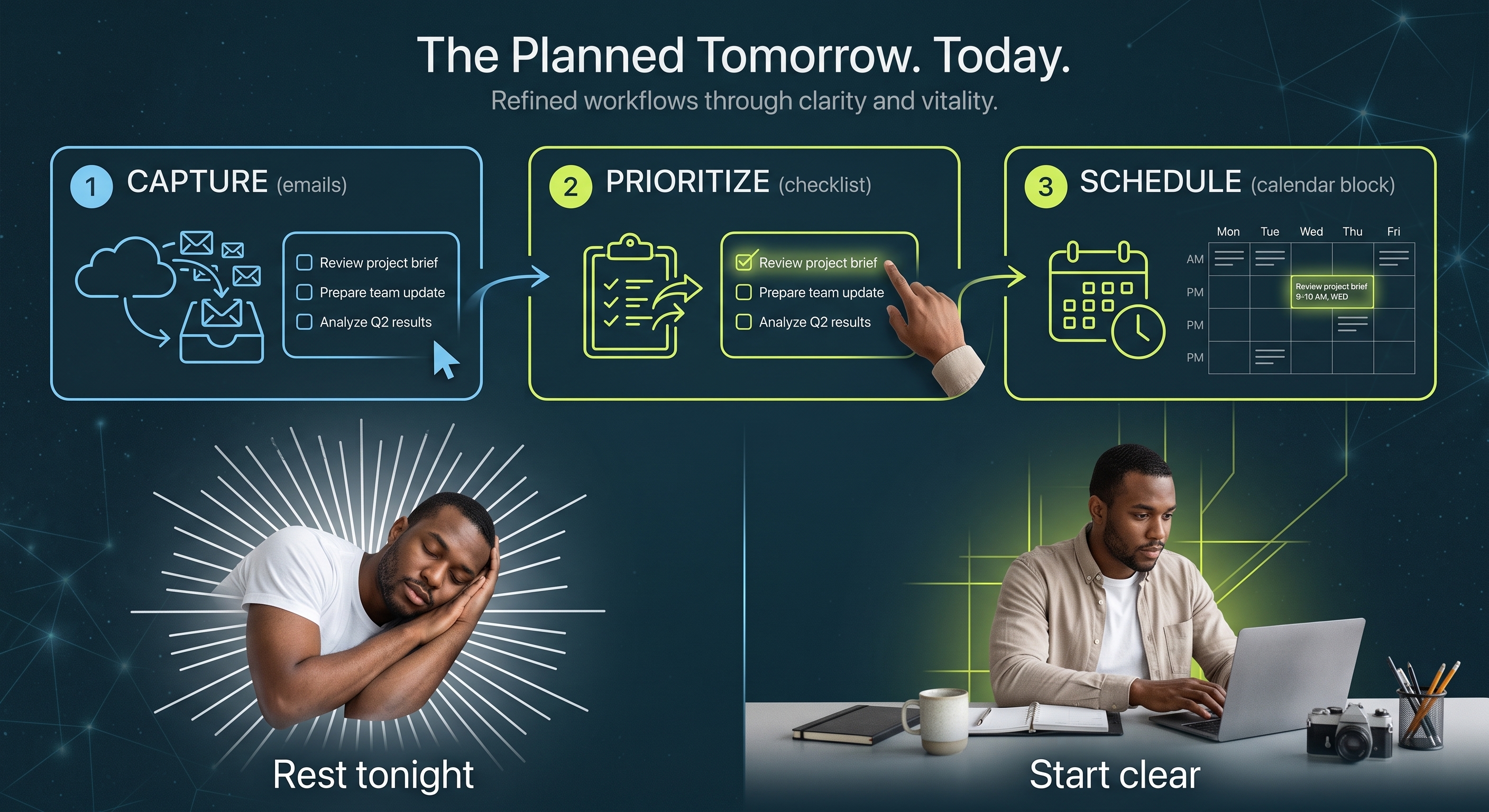
1. Pull the work out of email
Start with messages that need action. In new Outlook for Windows or Outlook on the web, open My Day and drag a message onto its To Do tab to create a task. Capture loose ends from meetings and notes, too.
Name the next action: “Revise Jordan’s proposal” is easier to act on than “Jordan.” Your inbox holds the conversation; the task tells you what to do next. See Microsoft’s email-to-task steps.
2. Choose what deserves tomorrow
Look at the work together before deciding what comes first. What is time-sensitive? What is blocking someone else? What can wait? Choose a small, realistic set of priorities—not everything on the list.
Planner’s My Tasks and My Day can help you see your work and focus on today’s choices. Unfinished tasks remain in their original plans when My Day resets. Explore My Tasks and My Day.
3. Give the priority a time
In new Outlook or Outlook on the web, open Calendar, then My Day → To Do. Drag a task onto the calendar, set a realistic duration, and save the event. See Microsoft’s task-to-calendar steps.
That proposal now has a place: 9:00–9:30 tomorrow morning. You can see whether your priorities fit the time available. Leave breathing room for questions, breaks, and the unexpected.
The calendar block reserves time; it does not finish the task. When the work is done, mark the task complete. If plans change, move the block and review the task’s due date.
Close the laptop with a next step
Before you finish, check three things: the work is captured, the priorities are clear, and tomorrow has room for them. You do not need an empty inbox or a perfectly packed calendar.
The aim is less mental rehearsal after hours and a clearer place to begin in the morning. Tools alone cannot remove every worry or fix an overloaded workload. But a trusted plan means your memory is no longer the only place keeping track.
Build the habit with us
Join me and Amy from Office Skills with Amy, a Microsoft MVP, for From Scattered to Sorted with Planner: September 22, 2026, 10:30–11:15 a.m. Pacific. Registrants will receive the recording and playbook.